 Sumory
Reports & records
Turn to the end of the month.
Read income and expenses by month, year or the exact dates of a trip. Each entry keeps its original currency and its rate snapshot for a consistent look back.
View on the App Store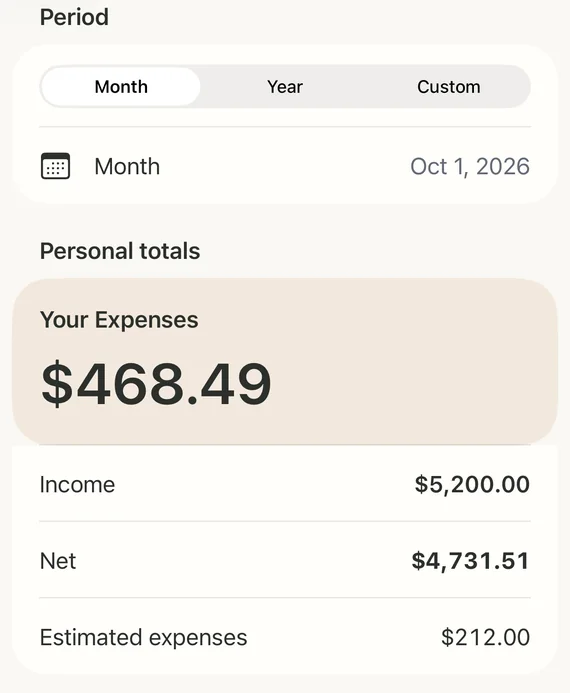
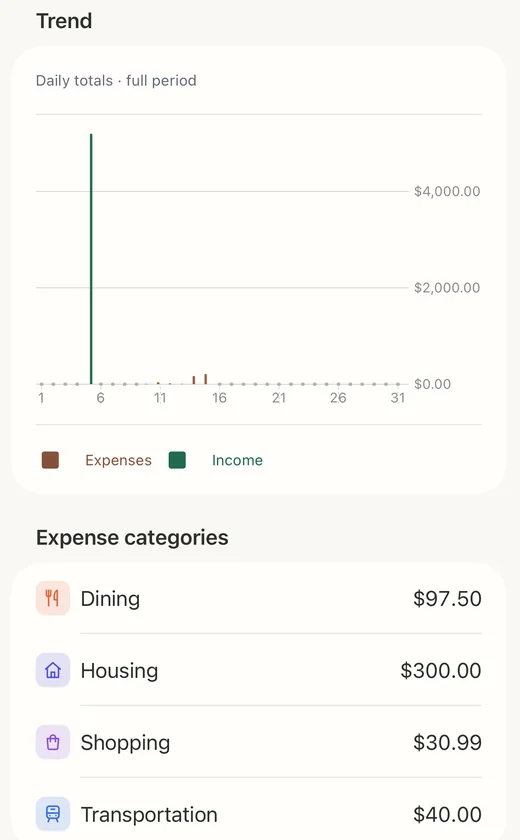
Read the totals, then follow the categories.
In the October sample, expenses are $468.49 and income is $5,200, leaving net income of $4,731.51. Follow the trend down to compare accommodation, dining and transport.
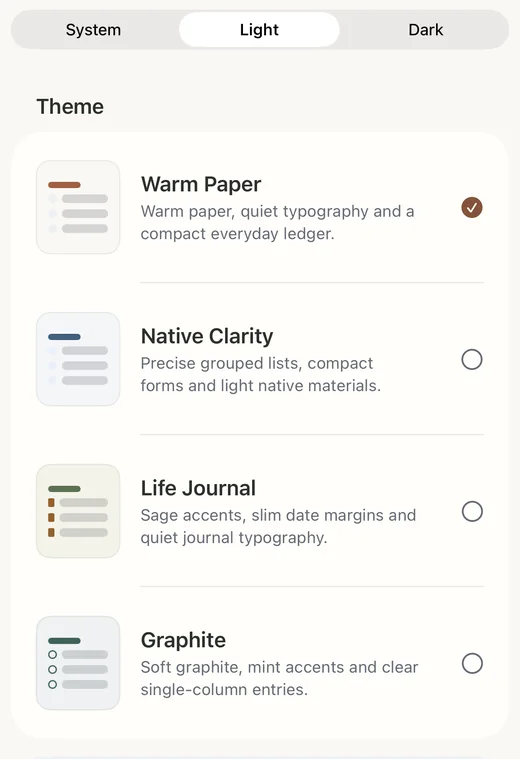
Make the ledger comfortable to read.
Warm Paper, Native Clarity, Life Journal and Graphite each offer a different treatment of type and color. Choose light, dark or the system appearance and return to the same entries and reports.
Take your records with you
- Multiple currencies
- Each entry keeps the rate snapshot for its currency pair along with the original amount.
- On device and in iCloud
- Start keeping records on your iPhone. When iCloud is available, devices using the same Apple Account can sync them.
- CSV or a full backup
- Export ledger rows as CSV for reconciliation. Choose the complete backup for a fuller copy. Activities also export to Excel.